Key Features
- IP VISCA, VISCA, and Pelco-D/P Protocols
- RJ45, RS-232, and RS-422
- Control up to 5 Cameras
- Four LED Displays
- 2-Axis Joystick
- 17-Level Speed Adjustment
- AE and WB Modes
- Up to 10 Presets per Channel
Items Included
- ikan OTTICA V2 IP PTZ Camera Controller
- Phoenix 4-Pin Terminal
- Power Adapter
- Limited 1-Year Manufacturer Warranty
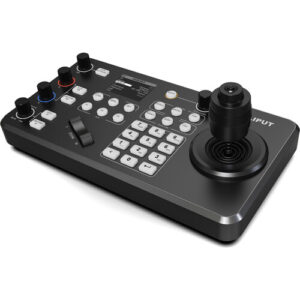
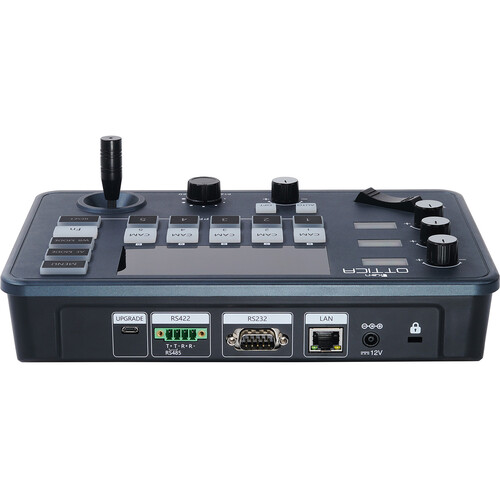
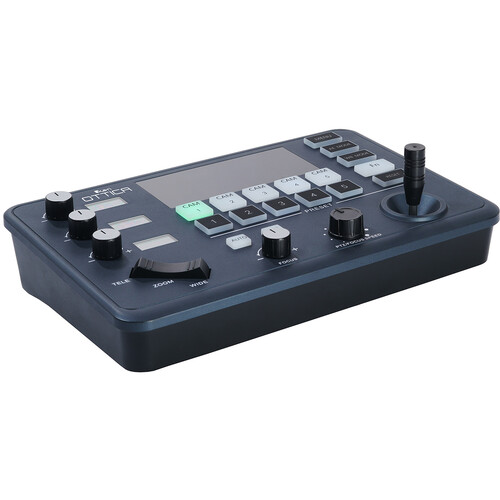
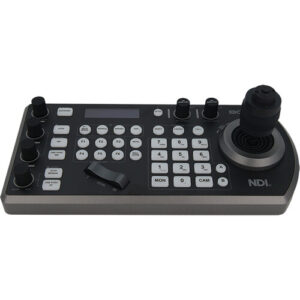
The OTTICA V2 IP PTZ Camera Controller from ikan features four LED screens, various controls, and is compatible with any PTZ camera that uses IP VISCA, serial port VISCA, and Pelco-D/P protocols. It can be set up to control up to 5 cameras over Ethernet, DB-9 RS-232, and 4-pin Phoenix RS-422 ports simultaneously. Three dedicated knobs control camera parameters like iris, zoom, and gain. Camera presets have been streamlined for intuitive configuration. The controller comes with a Phoenix 4-pin terminal and a power adapter for easy integration into your broadcast setup.


Interface
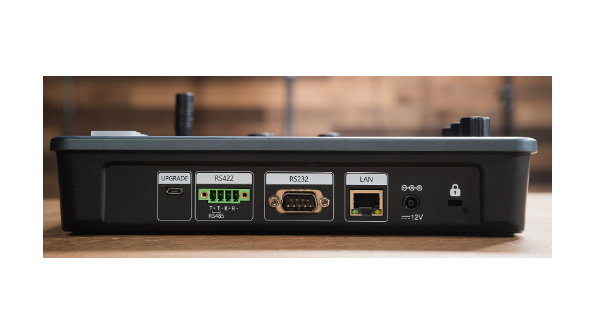
The OTTICA V2 has an RJ45 port, DB-9 RS-232 port, and a 4-pin RS-422 port for both analog and IP control protocols. Other connectors include a 12V barrel power input and a micro USB connector for firmware updates.

Precise Controls
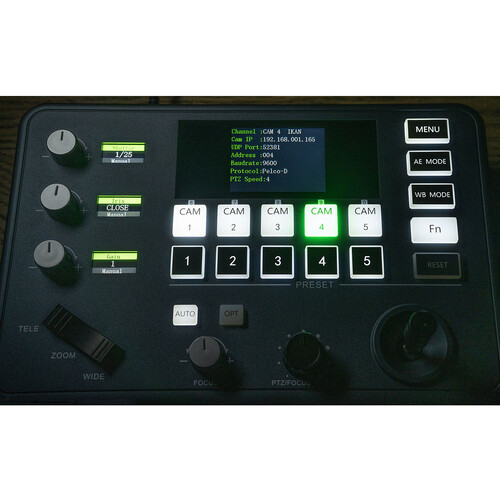
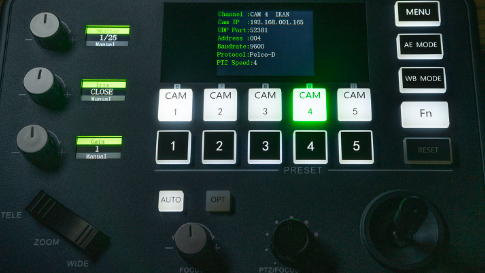
A 2-axis joystick on the OTTICA V2 facilitates smooth control of pan and tilt movements. A zoom rocker easily zooms your camera in or out. Two separate knobs control the focus and PTZ/focus speed. Select from 7 different speed levels for PTZ movements. Reset your camera parameters to the default positions by holding down the function button.

Quick Adjustment
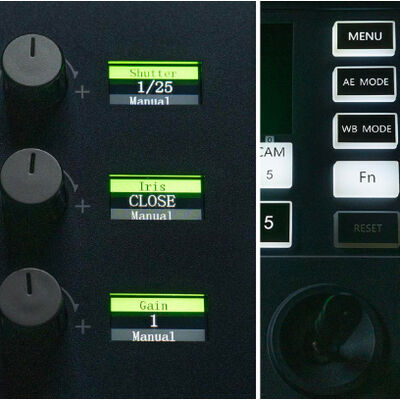
Three dedicated side knobs and corresponding LED screens can adjust different parameters depending on the operating mode you are in. Enter AE mode to change the auto exposure mode of your connected camera. The side knobs will then allow you to adjust shutter, iris, and exposure compensation. When in WB mode, change the white balance of your camera by adjusting the knobs for color temperature, red gain, and blue gain. Other possible parameters controlled by the knobs include brightness, focus, and gain limit.

Preset Positions
Creating camera presets is intuitive, simply press and hold one of the preset buttons. When you wish to recall the preset, tap the corresponding button and your camera will adjust accordingly. The OTTICA V2 is capable of programming 5 presets or a maximum of 10 presets for selection per channel.
ASUS NUC 15 Pro Slim Barebone Kit
HP 23.8" Pavilion 24-cr1080 Multi-Touch All-in-One Desktop Computer
ASUS NUC 14 Pro+ Barebone Kit
CORSAIR VENGEANCE i5100 Gaming Desktop Computer
HP 21.45" 22-dg0020 All-in-One Desktop Computer
Apple 16" Macbook Pro (M4 Max, Silver, NT)
Alfatron 1080p USB 2.0 PTZ Camera with 10x Optical Zoom
Dell 13.3" Pro Rugged 14 Multi-Touch Laptop
HuddleCamHD SimplTrack3 Auto-Tracking PTZ Camera with 20x Optical Zoom 


There are no reviews yet.